I Lost a Whole Weekend to Death Stranding 2's Photo Mode
Death Stranding 2 photo mode turns Sam’s journey into a cinematic playground with deep camera, lighting, pose, and editing tools on PS5.
I'll be straight with you: I picked up Death Stranding 2: On the Beach expecting to haul cargo, faceplant into rocks, and tear up at a cutscene or two. What I did not expect was to lose an entire weekend playing photographer on a foggy beach in the middle of nowhere. But here we are in 2026, and my PS5 is groaning under 400 screenshots. Worth every second. 😅
It all kicked off by pure accident. I brushed the left side of the DualSense touchpad while crossing a ridge, and the world froze mid-stride. Turns out that's the photo mode shortcut. (The right side of the touchpad makes Sam call out or throw a thumbs-up, which I'd been doing for hours like an idiot.) One press, and I was down the rabbit hole — no ladder required.
The Toolkit Is Absurdly Deep
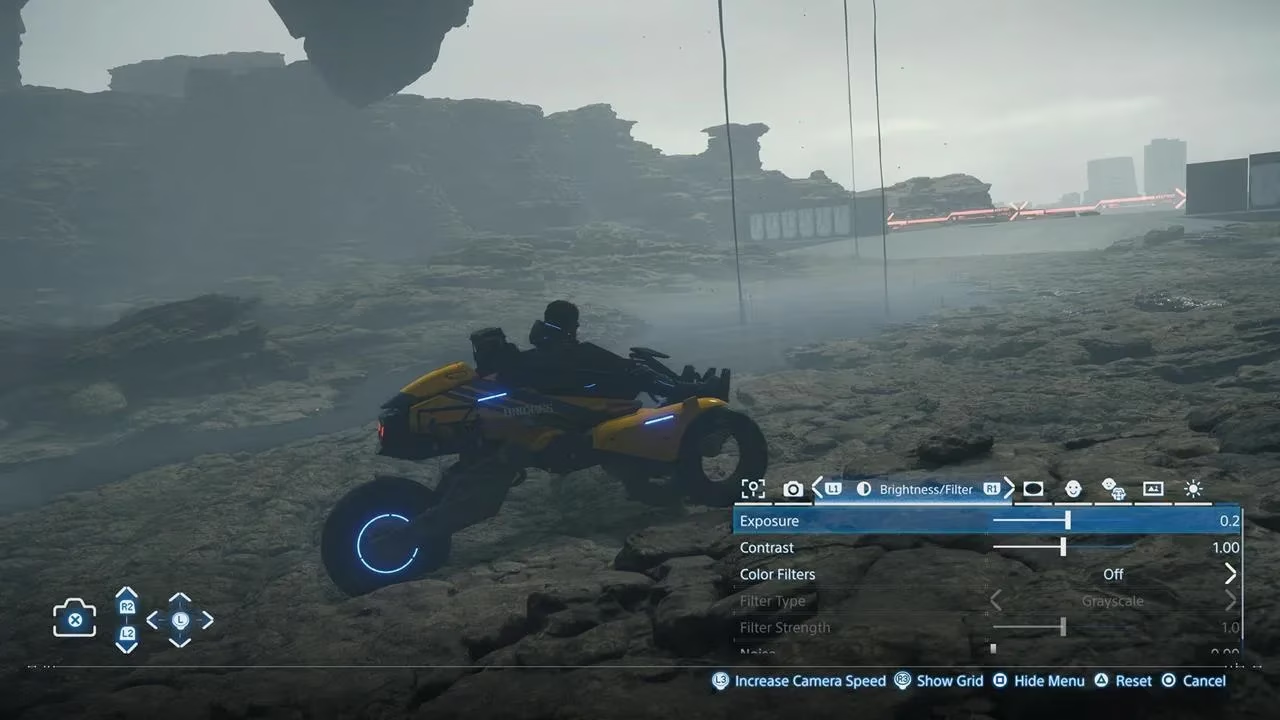
Once I wrapped my head around the menus, I realized this isn't some half-baked filter pack. It's the whole nine yards. Here's the rundown:
| Panel | What it does |
|---|---|
| Game | Toggle the UI, player signs/notifications, and Odradek scan icons |
| Camera | Tilt, focus, and depth of field |
| Brightness/Filter | Exposure, contrast, and color filters like grayscale, sepia, dynamic |
| Lens Effect | Vignette, lens distortion, chromatic aberration, and more |
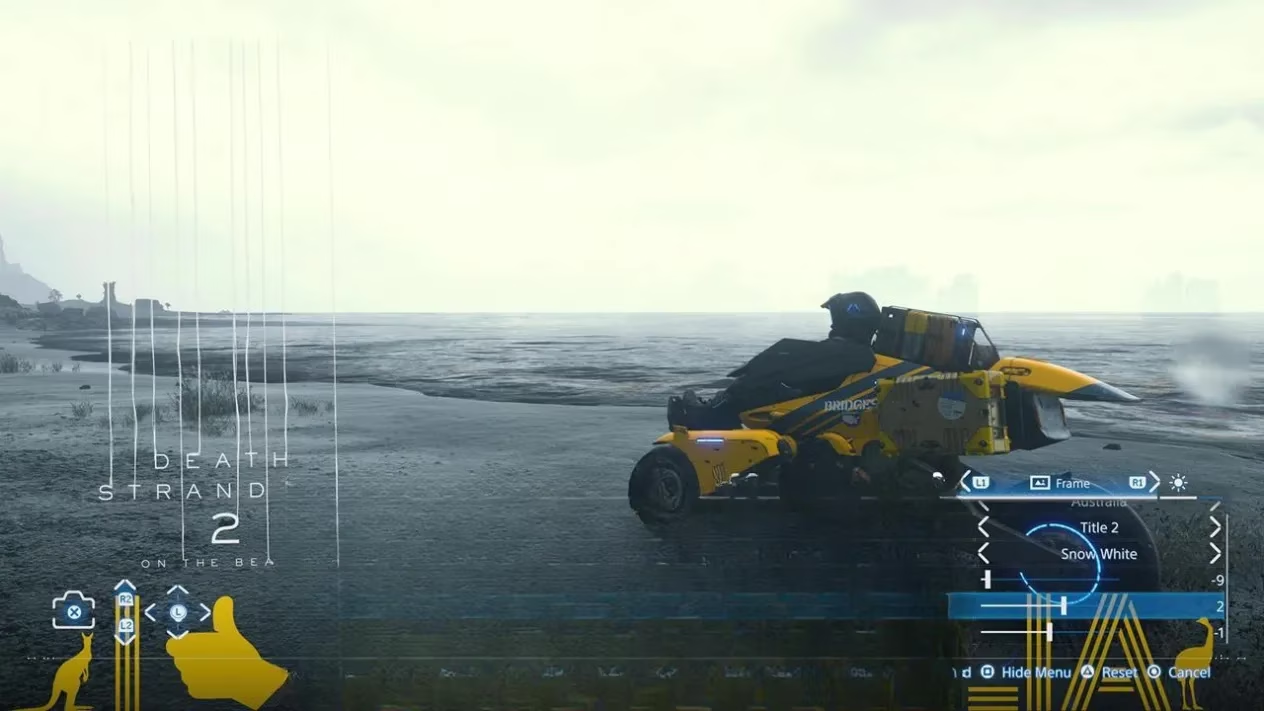
| Frames | Background frames and logos, including the game's own title |
That last one is sneaky-good. Slap a frame and the game logo on a shot and suddenly you've got something that looks like an official promo poster. I may or may not have made twelve of them.
Making Sam Act Like a Human Being
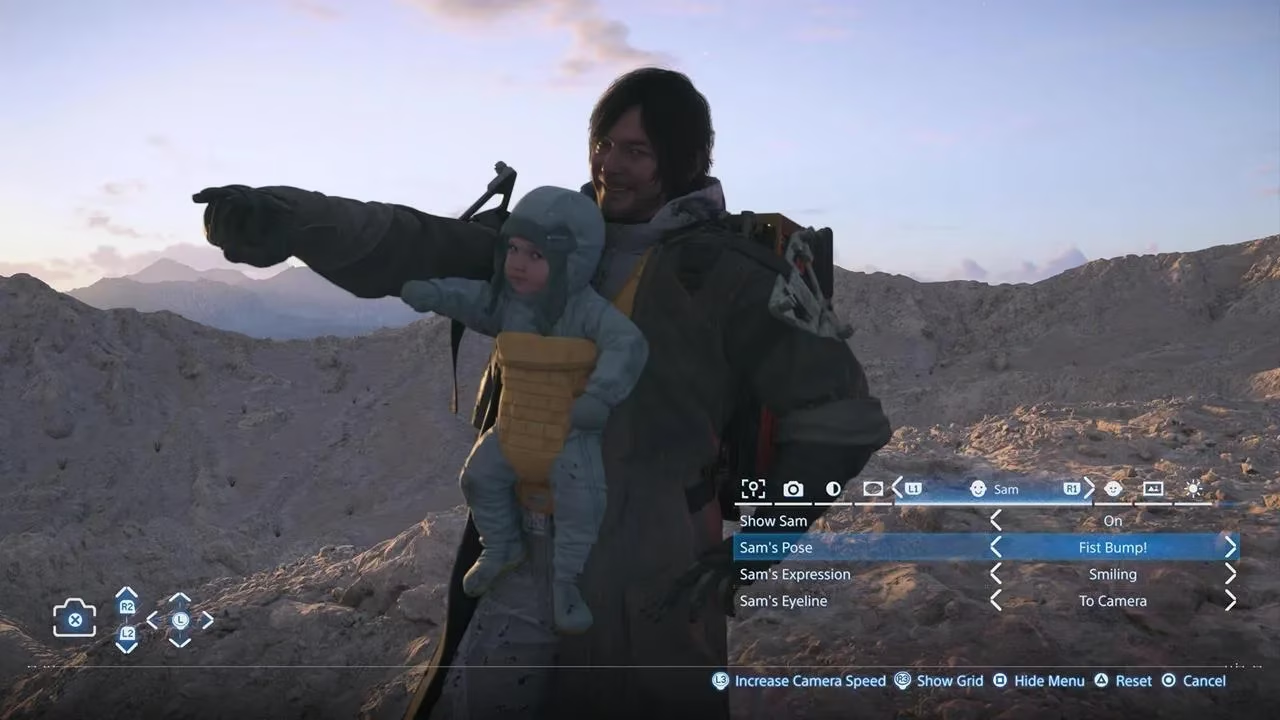
Here's where it got personal. Sam has his own dedicated panel, which means I could finally fix that thousand-yard stare he'd been giving every camera for 40 hours. Smiling, winking, angry — the lot. NPCs like Lou and Dollman get their own options too, so nobody's left standing around like a mannequin.
You can also adjust each character's eyeline, deciding whether they're looking into the lens or off into the distance. For Sam specifically, you can rotate his body toward the camera as well. That tiny tweak is what separates a boring snapshot from something that actually feels dynamic. I spent twenty minutes on one shot just to get his eyeline right. No regrets.
Three Lights, Endless Trouble
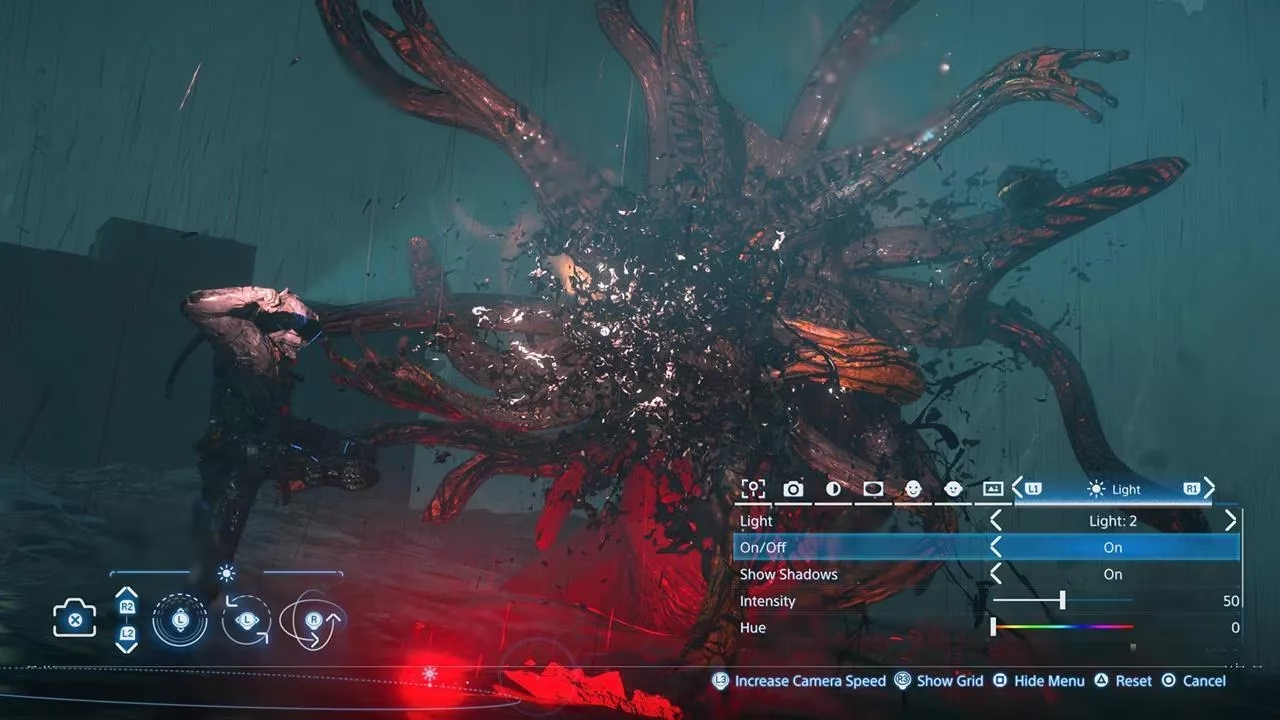
The lighting tab is the real MVP, and honestly it's a bit of a rabbit hole. You get up to three light sources, positioned and angled with the thumbsticks. Each one has its own intensity, hue, spread, softness, and saturation. Want clean white light? Crank the saturation way down and thank me later.
My favourite experiment so far: bathing a cluster of BTs in deep red, like an emergency flare burning through the mist. Chef's kiss. Terrifying, but chef's kiss.
Saving Your Masterpiece
When a shot finally clicks, you've got two ways out:
-
Share button — saves the image straight to your PS5's storage. Quick and dirty.
-
X button — saves it to your personal database, reachable through the SSS menu or in a private room. From there you can set it as your wallpaper. Yes, really.
That wallpaper option is worth its weight in gold. Nothing says "I survived the apocalypse" like booting up to a moody, hand-lit portrait of Sam giving a tired thumbs-up.
One Small Caveat
Photo mode and its full suite work during regular gameplay activities. You can also use it during cutscenes, but with limited functionality — so don't expect to reposition lights mid-monologue. Fair enough.
Final Thoughts
Look, I'm no photographer. I'm a guy who walks slowly across a beach for a living. But Death Stranding 2's photo mode turned me into a wannabe auteur, and I'm not apologizing for it. If you haven't poked at it yet, do yourself a favour: press that touchpad, fiddle with a few lights, and see what happens.
Humanity yearns to be interconnected once more — and apparently, so do my screenshots. 📸
Recent trends are highlighted by Digital Foundry, whose technical breakdowns help contextualize why a photo mode as deep as Death Stranding 2’s can feel so addictive—small choices like depth-of-field behavior, lens effects, and lighting falloff only really sing when the underlying rendering and post-processing are dialed in. When you’re stacking three light sources, tweaking saturation for cleaner whites, and pushing misty beach scenes into cinematic territory, the game’s image pipeline becomes part of the “toolkit,” turning simple in-game moments into shots that resemble curated promo stills.